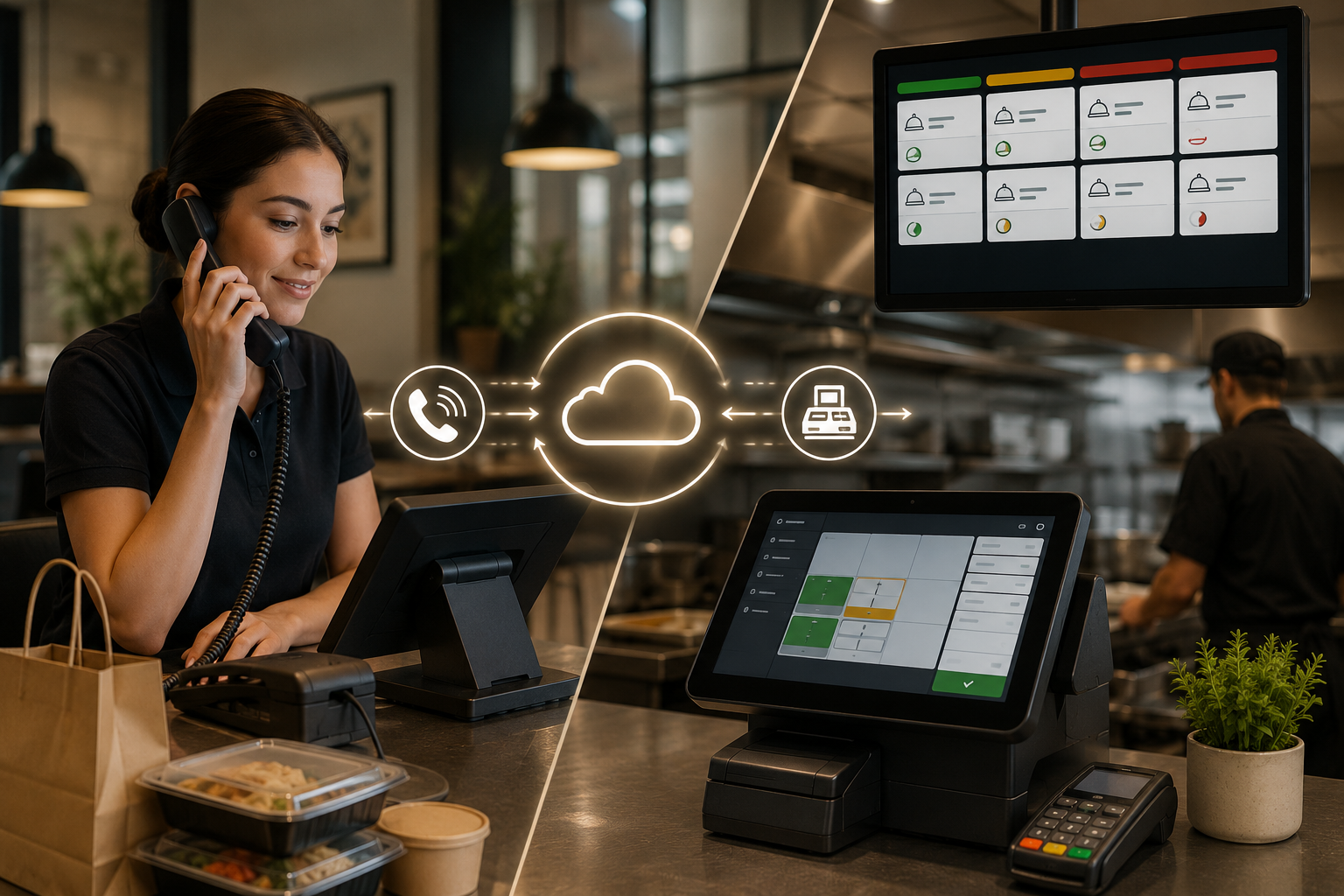
AI phone ordering POS integration connects a voice AI to your restaurant's point-of-sale system, so every phone order becomes a real ticket in the system your kitchen already uses, with nobody re-entering anything. Loman integrates directly with Toast, Square, Clover, Shift4, SpotOn, NCR, NCR Aloha and Olo, plus about 20 other POS systems, and in Loman's proprietary simulated 1,000-call benchmark it reached 99.6% order accuracy.
Most restaurant owners already understand the front-end promise: the phone gets answered, the customer orders, the kitchen gets a ticket. The part that decides whether the tool saves labor or creates cleanup is the middle, where spoken orders, modifiers, substitutions, prices and 86'd items have to land in your POS in a form the line trusts. This guide explains how that handoff works, what to check before you buy, and how Loman is built to clear every item on the list.
Short answer:
How does a phone order become a clean Toast, Square or Clover ticket without someone at the counter retyping it? That handoff is AI phone ordering POS integration. The voice AI runs the conversation, and the integration layer does the operational work: it takes what the guest said, matches it to your menu structure, and writes it into the POS in the format your kitchen reads.
Plenty of tools can answer a phone. Far fewer can turn "large pepperoni, half mushroom, no onions, extra cheese" into the exact item, modifier group, price and prep flow your POS expects. That translation is the product.
Many owners hear "AI phone ordering" and picture an answering service with a nicer voice. The real test is whether the system finishes the transaction inside your operating stack. If the AI collects an order and then sends staff to a dashboard, a text thread or an email, someone still has to read it and key it in. That fails at peak volume, which is exactly when you need help.
Practical rule: if the order does not enter your POS as a usable ticket, you still have a labor problem. Loman works alongside the POS you already run, so there is no replacement project, no re-keying and no separate ordering workflow to manage.
The simplest way to picture it is a team member who only handles phone orders, never gets flustered, and always writes in the exact format your POS expects. Humans can interpret messy notes. A POS cannot, so the AI has to produce clean, structured data every time.
The voice is what owners notice. The order schema is what decides whether the system works. A phone AI can understand a caller perfectly and still fail operationally if "no jalapenos" removes the wrong modifier, "extra ranch" attaches to the wrong item, or a lunch combo ignores the daypart menu.
This is where the type of connection matters. Loman integrates directly with the POS, so the order is written to the system of record in one step. Other vendors rely on third party aggregator systems that sit between the AI and your POS. That extra layer means more lag, more failure points and one more vendor to call when a ticket does not print.
| Integration type | How the order moves | What it means for you |
|---|---|---|
| Direct POS integration (Loman) | Order writes straight into the POS and kitchen display | No re-entry, live menu reads, fewer failure points |
| Third party aggregator system | Order passes through another system first | Added lag, more places for a ticket to stall |
| Email, text or dashboard summary | Staff read it and key it in | Typos and dropped orders during peak hours |
The safest pattern keeps the voice logic separate from the POS logic, validates every modifier before it is submitted, and only tells the caller the order is confirmed after the POS has accepted it. That protects you from the ugliest failure in restaurant technology: the guest hears "your order is confirmed" while the kitchen never got it. Loman's two-way integrations are built around that rule, with orders flowing to the POS and kitchen display while the AI reads live menu data back.
The business case comes down to three things: captured orders, cleaner tickets and less interruption for your staff.
If you miss calls at lunch or dinner, you already know those guests do not wait. They hang up and order elsewhere. Operators using Loman have reported up to 22% higher phone revenue from recaptured orders. Tony Boloney's reports adding 75 to 100 extra orders per month per location with Loman, and Loman is trusted by 2000+ restaurants nationwide.
Cashiers are inconsistent at upselling and at catching modifier details when the line is three deep. A calm, repeatable AI asks the same helpful questions on every call and writes every detail into the right POS field. In Loman's proprietary simulated 1,000-call benchmark, Loman reached 99.6% order accuracy versus 92.1% for Maple in the tested configuration. The AI behind it is trained on more than 20 million restaurant calls.
| Operational area | What changes in practice |
|---|---|
| Call handling | Staff stop dropping everything to answer routine takeout calls |
| Upselling | Add-ons are offered consistently instead of when someone remembers |
| Order entry | Tickets hit the POS directly, with no paper and no double entry |
| Guest experience | In-house guests get more attention because staff are not tied to the phone |
The labor story is about attention, not just payroll. When the person at the front counter is also the phone operator, accuracy drops everywhere. Moving phone orders to Loman lets your team stay focused on the guests in front of them while calls are answered, orders are completed and payment is collected on the line.
Most implementation problems come from two places: stale menu data, and unclear responsibility for payment and order acceptance. You do not need to become a developer, but you do need to know which details affect service.
If the AI sells food you no longer have, guest trust drops fast. Do not accept "real-time sync" as a vague promise. Ask exactly how 86'd items, price changes, modifier updates and daypart menus reach the AI. Loman's AI reads live menu data from your POS, so unavailable items, price changes and modifier updates show up during the call without anyone updating a second system.
The safest setups do not invent a parallel payment process that staff have to patch by hand. Loman collects payment during the call, so the transaction is complete before the guest hangs up. Whichever vendor you evaluate, ask who holds the payment data, when the order is marked confirmed, and what happens if the network drops mid-order.
Duplicate items, old modifiers and location-specific workarounds in your POS will confuse any AI layer. A short menu cleanup before launch is the best investment you can make. Loman's white-glove onboarding covers menu upload, hours and call-flow setup, so you are not doing it alone.
Guests mix languages and change their minds mid-order. Loman handles multiple languages, understands conversational context and remembers repeat customers. Test modifier-heavy calls in the languages your guests actually use before you go live.
For most restaurants the rollout is less about installing software and more about getting the menu and call rules clean enough for the AI to behave like a reliable order taker. Loman sets up in under 24 hours with no coding or IT resources.
Across the board, Loman works with 25+ POS and reservation systems. For a broader comparison, read our guide to integrating AI phone systems with major POS platforms.
Run your test calls during a quiet window, then go live and watch the first rush. Multi-location groups can roll out one store first, then copy the shared configuration to the rest.
A strong rollout shows up in operations before it shows up in a spreadsheet. Staff spend less time on the phone, the kitchen gets cleaner tickets, and managers fix fewer avoidable mistakes. Compare two to four weeks before launch against two to four weeks after. Loman customers have reported up to 22% higher phone revenue, and Tony Boloney's reports 75 to 100 additional orders per month per location.
It is the connection that lets a voice AI take a phone order and write it into your POS as a real ticket, with items, modifiers, pricing and payment, so no one has to re-enter it.
Yes. Loman integrates directly with Toast, Square, Clover, Shift4, SpotOn, NCR, NCR Aloha and Olo, plus about 20 other POS systems.
No. Orders go into the POS and kitchen display your team already uses, so there is no extra device to watch.
A direct integration writes the order straight into your POS. A third party aggregator sends it through another system first, which adds lag and more points where a ticket can fail. Loman integrates directly.
Loman reads live menu data from your POS, so 86'd items, price changes and modifier updates appear during calls without manual updates.
Yes. Loman collects payment on the call so the order is complete before the guest hangs up.
Yes. Loman integrates directly with OpenTable, Resy and SevenRooms, so one system handles both orders and bookings.
Loman sets up in under 24 hours with no coding or IT resources. White-glove onboarding covers menu upload, hours and call-flow setup.
No. Loman handles unlimited simultaneous calls, so guests do not get a busy signal during the rush.
The connection between your phone and your POS is where most automation promises break. The right system reads your live menu mid-call, writes a finished order to the same kitchen display your counter uses, and collects payment before the guest hangs up. Loman was built to meet that standard, with direct integrations across Toast, Square, Clover and 25+ POS and reservation systems, 99.6% order accuracy in its simulated benchmark, and setup in under 24 hours. For a deeper checklist, see our guide to restaurant AI phone system POS integration, or see how Loman runs on your POS before your next dinner rush.
Enter your information in the form to receive a call from Loman and place an order like a customer would!

